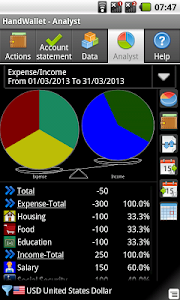
IN ORDER TO USE THIS WIDGET YOU MUST INSTALL FIRST HANDWALLET - a free professional expense manager that helps you to control your expense, accounts, bills and budget.
"Accounting" is a small free widget that lets you see anytime your accounts balances managed by the HandWallet app on the home screen of the phone.
Sometimes DUE TO A BUG IN THE ANDROID OS you need to INSTALL ANY WIDGET (not just this one) TWICE before you see it in the widget list (or install and boot your device).
• FREE for home users • Show you your current balance in each of your accounts • Show overdraft in red!
Options: • Can control the currency of the graph (Dollar, Euro etc) • Can control the date (today, tomorrow, a week from today and so on). • Control what accounts to show: bank account, credit card, cash and more.. • Font size, colors, background and date format
• Support multi currencies transactions • Enter new expense in one click • Start the HandWallet app in one click
Why Accounting Widget is better than Excel? • Because it is more simple and yet has more options • Because it will give you the full picture and not just the bank or the credit card status
Why to use Accounting Widget? Because it's the best expense widget. And because we are creating expense manager and accounting software for 10 years and know exactly why most people want to manage expense but only few succeed.
How to start? 1. Download the HandWallet app for free and run it. Check that your language, country and currency are correct. HandWallet will define 3 accounts by default: cash, bank account and credit card.
2. Download and install the "Accounting Widget". Then find an empty line in the home screen of your phone and put it there. IF YOU DO NOT SEE THE WIDGET IN THE WIDGETS LIST INSTALL AGAIN OR REBOOT.
3. Press the "Menu" button + "new" in the "Actions" tab and log your first expense.
How to control budget? Press the "data" button then categories. Select your category, for example "car expense". Press the "advanced" button and select the type of budget: fixed budget, summarized budget and so on. You can define a different budget for each period.
★★★★★ 長年 Neutron や Poweamp を愛用していましたが、Android 11 へバージョンアップしてから、音が変化したり動作が若干不安定になったりしたため、他のプレイヤーへの乗り換えを検討していました。 GoneMad Music Player は数年前試した事があったのですが、白を基調としたインターフェースに馴染めず、レビューに否定的意見が何件かあった事から乗り換えの対象外にしていました。今回、バージョンアップでインターフェースが変わったのを知り、1週間ほど使用して GoneMad Music Player に乗り換えることにしました。音は色付けの少ない素直な音でイヤホンの個性がそのまま出ます。イコライザーを club 設定にすると自分の好みの音に変化しました。他のレビューに見られるアーティストアートのダウンロードですが、自分が使用している限りではマイナーなアーティストはアルバムアートを表示していて問題ありません。多分アルバムアートが無い時に不自然なアーティストアートがダウンロードされるのだと思われます。ハイレゾ対応は特に謳われていませんが、USB DAC 経由で聞くとそれっぽく聞こえます。(あくまでそれっぽくで周波数とか調べた訳ではありません。)



 ショートカットアプリを





 5.0 (評価数 : 1,350)
 アプリの名称で Google検索
 GooglePlayでダウンロード